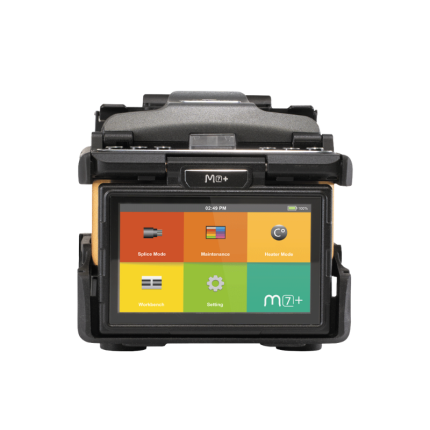








M7
The INNO M7 fusion splicer is no longer sold, but Uptero still services, repairs and supports it.
This model is no longer sold. We still service and repair it, and you can download the latest software below.
Software updates
Check the software version shown on your unit first. Each generation has its own software, and a unit can only be updated within its generation.
- DownloadSoftware 3.03For units on V3.xx
Initial release
How to update
Update Instructions Prepare USB Format a USB drive as FAT32. Prepare file The software archive must be named update.zip. If the downloaded ZIP has another filename, rename it to update.zip. Do not extract it unless the selected software version says otherwise. Copy file Place update.zip directly in the USB drive root (main directory) — not inside a folder. Start upgrade Insert the USB drive and start the software upgrade from the on-device menu. Exceptions If an Upgrade Method is shown for the selected software version, follow that method instead of the standard update.zip procedure. Important V1.xx / V3.xx are separate generations and are not interchangeable. - DownloadSoftware 1.30For units on V1.xx
General improvements
How to update
For the V1.xx line, the method depends on the currently installed version: V1.14 or earlier — copy F05B_sw_m4.bin and res.zip to the USB root; V1.15–V1.16 — use update.zip; V1.17 or later — first use F05B_sw_m4.bin + res.zip, then run the ZIP update (update.zip or the renamed ZIP).
Need a different version? Contact us or WhatsApp
Recommended replacements
Looking to upgrade? These current models are the closest match.